You check the news, then Instagram, and suddenly it's 1 a.m. The best way to stop doomscrolling is a limit you set in advance: phone out of the bedroom, a schedule locked with a passcode, feeds that end. Here are the most common questions with short, straight answers.
Updated October 2026.
In short
- Doomscrolling means endless scrolling through content that drags you down, or just scrolling past your own plans.
- Endless feeds have no end. Without a built-in limit, stopping becomes a willpower test.
- You don't have to delete anything. Limit the endless parts and keep the people.
What is doomscrolling?
What does doomscrolling mean?
Doomscrolling means scrolling for a long time, often longer than you meant to, through content that leaves you feeling down, anxious or angry. It originally referred to bad news, and the word took off around 2020.
Merriam-Webster dates its first known use to 2020 (Merriam-Webster).
Is all endless scrolling doomscrolling?
Strictly speaking, no, the original meaning is about negative content. In everyday use, though, many people say doomscrolling for any scrolling that runs longer than planned and doesn't feel good afterwards. For the tips below, the difference doesn't matter.
Why it's so hard to stop
Why do I doomscroll?
Because endless feeds have no natural stopping point. There's no last page, the next video starts on its own, and the algorithm keeps learning what holds your attention. Stopping takes an active decision every single time.
Regulators see it similarly. In 2026 the European Commission preliminarily found that infinite scroll, autoplay and highly personalized recommendations breach the Digital Services Act, first for TikTok (February 2026) and then for Instagram and Facebook (July 2026). The cases are ongoing.
Am I the only one who can't stop scrolling?
Not at all. In a 2026 Pew Research Center survey, 53% of US adults said they spend too much time on their smartphone, and 45% had tried to cut back in the past year.
The survey of 9,750 adults ran from May to June 2026 (Pew Research Center).
Is doomscrolling bad for you?
There's no blanket answer, and we don't make health claims. The research is mixed: some studies find links with lower mood, while a large study using measured phone data found only weak or no links. A good test is whether the time feels like your own choice.
That study tracked more than 10,000 US adults and was published in PNAS in 2025 (Winbush et al.). If your phone habits are weighing on you, talk to a doctor or a counselor.
How to stop doomscrolling: what actually helps
How do I stop doomscrolling in the moment?
Interrupt the motion: put the phone out of reach, stand up, or turn the screen off and count to ten. A tiny obstacle is often enough to turn autopilot back into a decision.
A stopping rule set in advance holds even better: "until the coffee's ready" or "three posts, then done".
Which settings help against doomscrolling right away?
Five settings in a few minutes: notifications off for social apps, the apps off your Home Screen, grayscale on, YouTube's Shorts feed limit at zero and Instagram on the Following feed.
- Notifications: Settings › Notifications › the app › turn off Allow Notifications.
- Home Screen: press and hold the app › Remove App › Remove from Home Screen.
- Grayscale: Settings › Accessibility › Display & Text Size › Color Filters › Grayscale.
- YouTube: Shorts feed limit at zero, see how to turn off YouTube Shorts.
- Instagram: tap the logo in the top-left and choose Following, see how to turn off Instagram Reels.
Do screen time limits help with doomscrolling?
Yes, as long as you can't skip them with one tap. In one study, limits that couldn't be overridden right away worked clearly better than flexible ones.
In that study of about 2,000 adults, time on social apps, the browser and YouTube fell by 16%, about 22 minutes a day (Allcott, Gentzkow & Song, 2022). In practice: set a Screen Time passcode that you don't know yourself.
Do I have to delete social media to stop doomscrolling?
No. Usually it's enough to limit the endless parts and keep the people. Messages, group chats and Stories are rarely the problem; Reels, Shorts and For You feeds often are.
Our social media detox checklist and the guide on how to use TikTok less show how.
How to stop doomscrolling at night
How do I stop doomscrolling at night?
The most reliable way is to keep your phone out of bed: charge it in another room and use an alarm clock. If that's not an option, block social media in the evening with a Screen Time Schedule on your iPhone.
On iOS 27, add a window starting at, say, 10 p.m. in which Social Media isn't available, locked with a passcode. Our guide on how to set app limits on iPhone shows the steps. The Sleep Focus helps too.
 Give tonight's feed an end: get FeedbyeGet the app
Feedbye against doomscrolling
How does Feedbye help with doomscrolling?
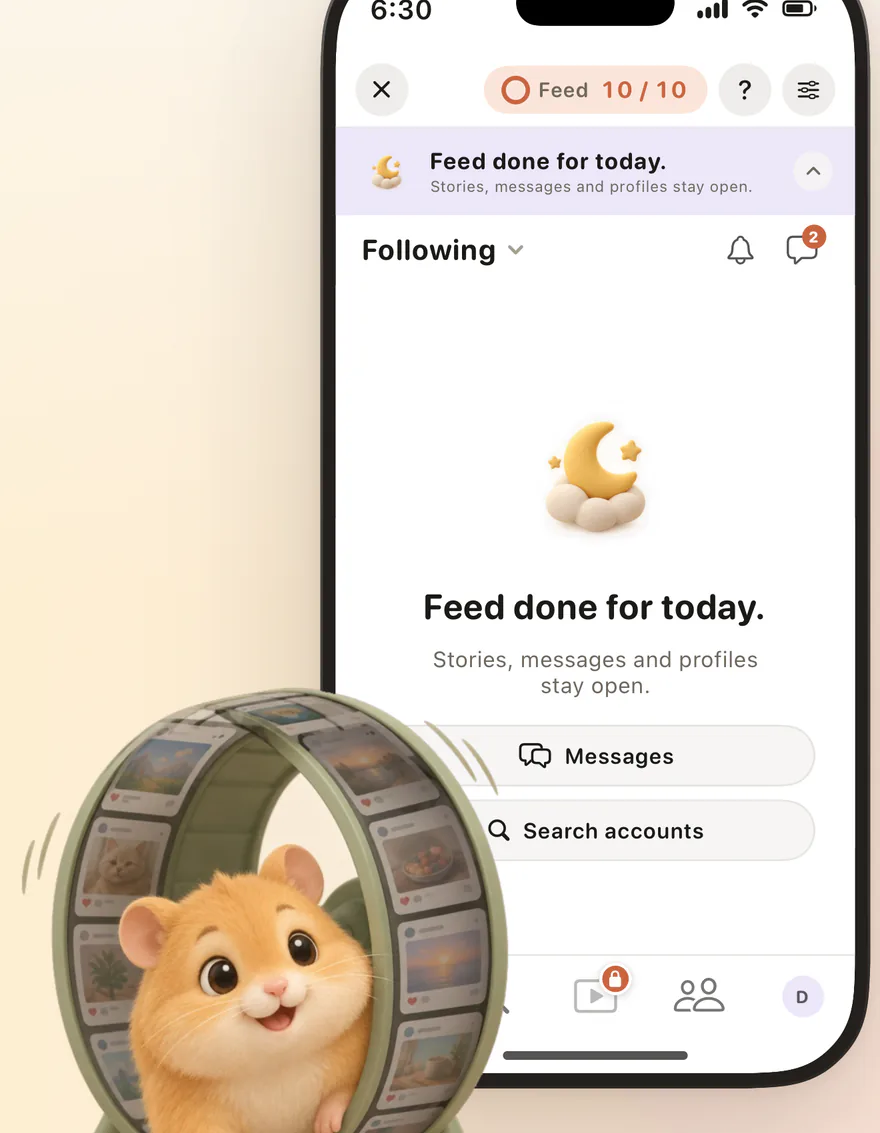
Feedbye gives your feeds an end. Reels, Shorts and For You feeds are hidden, and after a daily limit of feed posts, say 10, you're done for the day. Friends, messages and Stories stay.
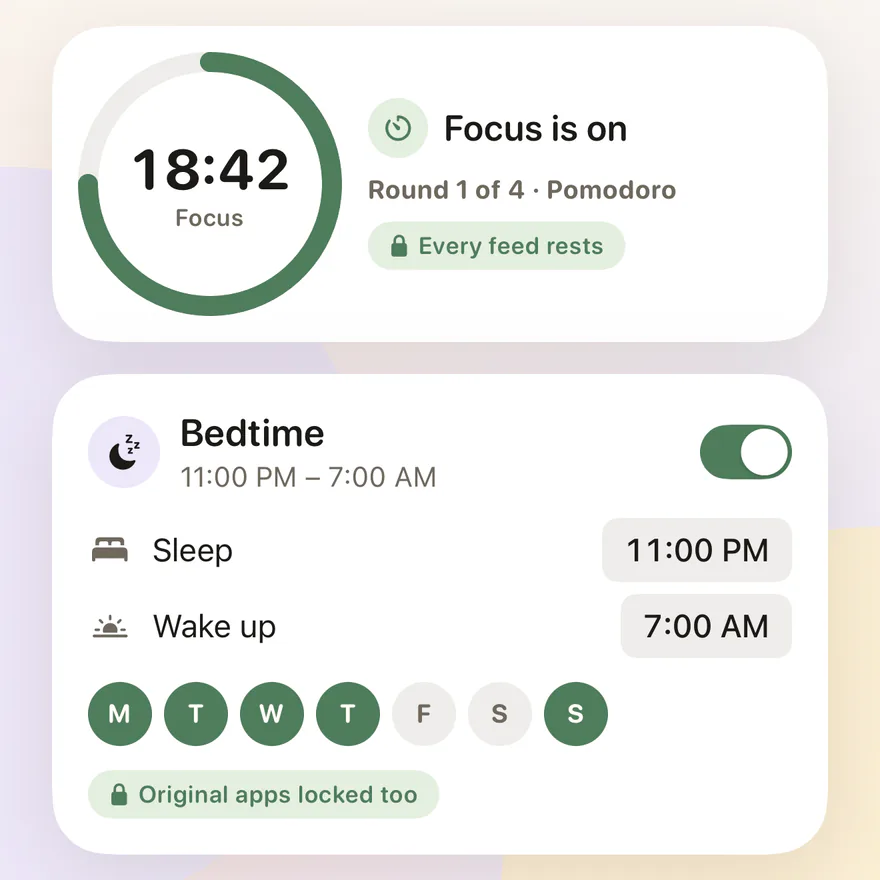
The iPhone app works with Instagram, YouTube, TikTok, Threads, X and Facebook. Three exceptions a day cover real emergencies. You block the original apps with Apple's Screen Time, and Post Mode opens one for a few minutes when you want to post. There's a bedtime for the evening and a focus timer for the day.

Feedbye is independent and not affiliated with Meta, Google, ByteDance or X.