You open YouTube for a guitar tutorial, tap one Short, and half an hour is gone. Since 2026 you can mostly turn off YouTube Shorts: in the YouTube app, set the Shorts feed limit to zero minutes. Here's how on iPhone, and the gaps the setting leaves open.
Updated October 2026. YouTube rolls features out in stages, so update the app first if a menu is missing.
In short
- You › Settings › Time management › Shorts feed limit: set it to zero.
- Zero pauses the Shorts feed. Single Shorts still play, and you can dismiss the reminder.
- The limit only exists in the app. Shorts stay blocked only with a limit outside YouTube.
Can you turn off YouTube Shorts?
Partly. In October 2025 YouTube added a daily limit for the Shorts feed, from 15 minutes to 2 hours (TechCrunch). In January 2026 parents got a zero option for supervised teen accounts, and since April 2026 zero works for adults too (Engadget).
When you hit the limit, YouTube shows a message you can dismiss or ignore (YouTube Help). For adults it's a speed bump, not a lock.
How to turn off Shorts on iPhone: 5 steps
Set your Shorts feed limit to zero
In the YouTube app, tap the You tab, then Settings, Time management and Shorts feed limit, and pick zero.
From then on, scrolling in the Shorts feed is paused. Sometimes it only kicks in after you restart the app. Shorts someone sends you, or that turn up in search, still play (Engadget).
Dismiss the Shorts shelf on Home
On the Shorts section of your Home feed, tap the three dots or the X and tell YouTube you want to see fewer Shorts.
The shelf disappears for a while, most reports say about 30 days. YouTube doesn't document how long.
Start from Subscriptions, not Home
Right after opening the app, tap Subscriptions at the bottom.
Home is built for discovery. Subscriptions shows channels you picked yourself. Shorts appear there too, but only from those channels.
Turn on break and bedtime reminders
In YouTube's settings, turn on Remind me to take a break and Remind me when it's bedtime.
Depending on your version, both switches sit under General or Time management (YouTube Help). They break up long sessions, though you can dismiss them too.
Block YouTube with iPhone Screen Time
In your iPhone's Settings, open Screen Time, give YouTube a daily time budget and lock it with a passcode.
This blocks the whole app, including the tutorial you actually wanted. In iOS 27 the tool is called Time Allowances, see how to set app limits on iPhone.
Block YouTube Shorts, keep long videos
Long videos are often the reason you open YouTube: the recipe, the tutorial, the documentary. What should go is the feed that keeps playing afterwards.

That's what Feedbye, our iPhone app, does. You open YouTube in Feedbye and it starts on your subscriptions. The Shorts feed never opens, while search and long videos work as usual. You block the YouTube app itself with Apple's Screen Time, so the ignore button no longer matters.
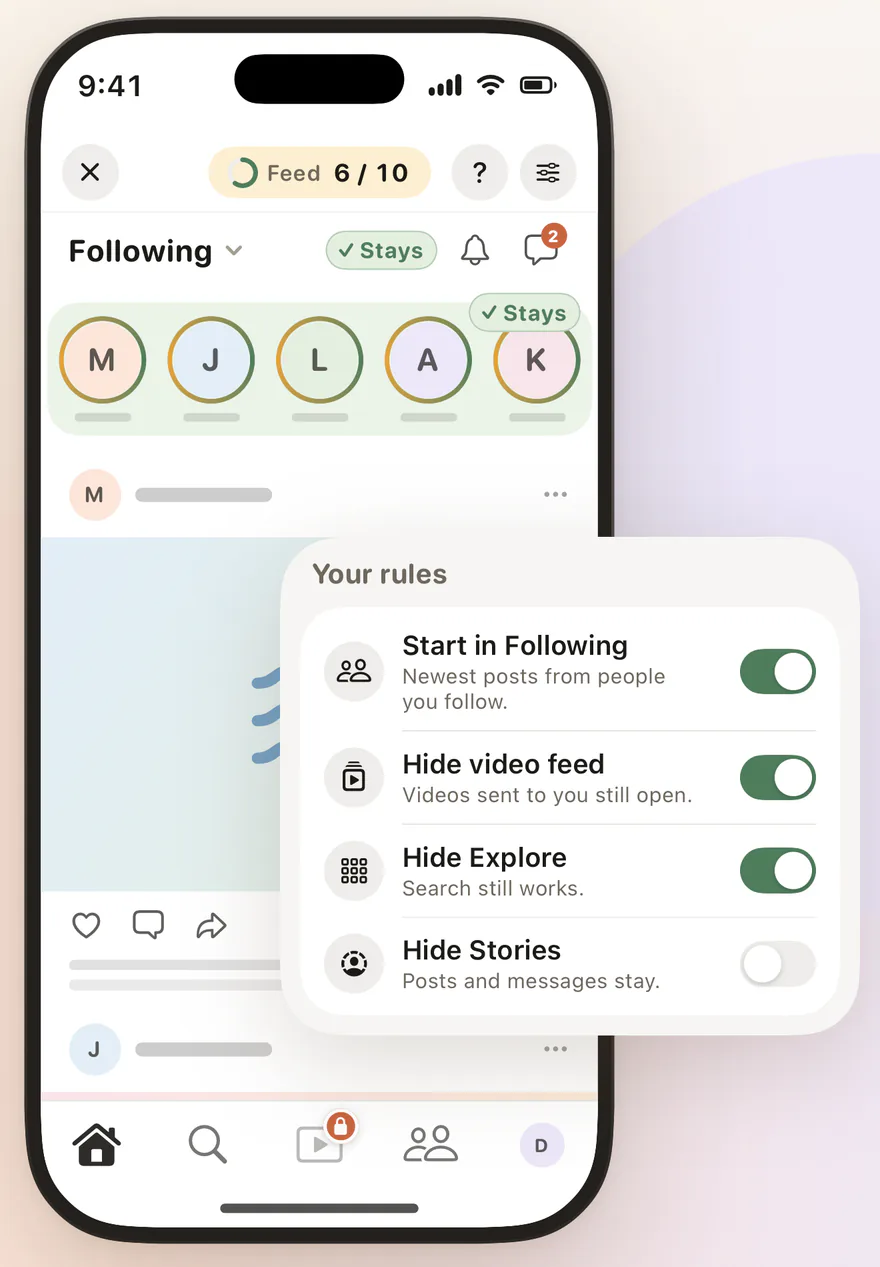
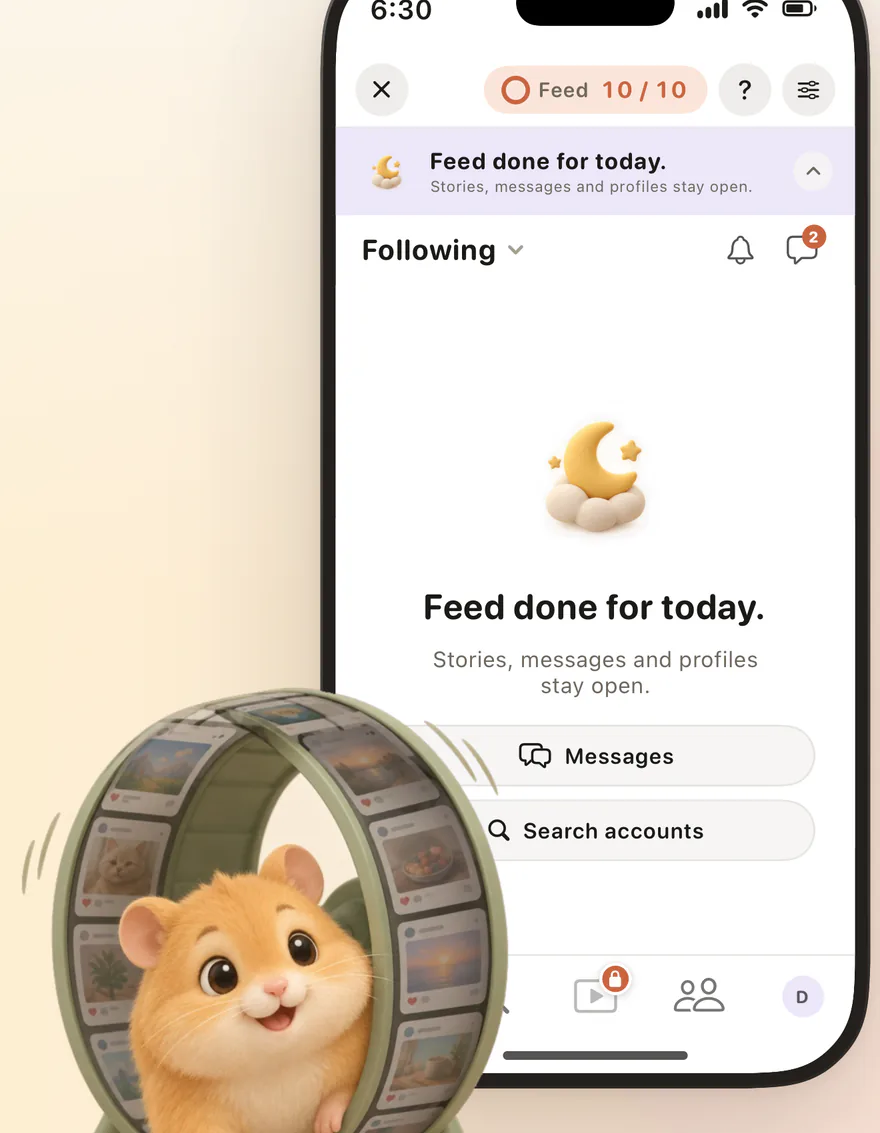
After your daily limit, say 10 feed posts, you're done for the day. Feedbye is independent and not affiliated with Google or YouTube.
 Shorts gone, subscriptions stay: use YouTube with FeedbyeGet the app
What doesn't work
- YouTube in a browser: youtube.com and m.youtube.com still show Shorts, and reports say the limit doesn't apply there (Android Headlines).
- Browser extensions: mostly for computers. They do nothing in the iPhone app.
- Modded YouTube apps: unofficial builds without Shorts put your Google account at risk.
- Blocking only Shorts with Screen Time: Screen Time works on whole apps, not on sections inside them.
Instagram has no comparable switch; see how to turn off Instagram Reels. For TikTok: how to use TikTok less.
FAQ
Can you turn off YouTube Shorts completely?
Not entirely. Setting the Shorts feed limit to zero pauses scrolling in the Shorts feed, but individual Shorts can still show up, and on adult accounts the reminder can be dismissed.
How do I block YouTube Shorts on iPhone for good?
With a limit outside the YouTube app: block the app with Screen Time and use YouTube through an app that never opens the Shorts feed, such as Feedbye. It starts on your subscriptions, and long videos still play.
Why can't I find the Shorts feed limit?
Update the YouTube app first, because YouTube rolls features out gradually. The setting lives under You, Settings and Time management. Reports say it isn't available on the website.
Can I block Shorts for my kid?
Yes, with a supervised account. Since 2026 parents can set a teen's Shorts feed limit to zero, and unlike on adult accounts, the teen can't dismiss it (MediaNama).
Is Feedbye connected to YouTube or Google?
No. Feedbye is an independent iPhone app and is not affiliated with Google or YouTube.